5 Device Trade In Mistakes Stopping You From Getting Free iPhones
Avoid critical errors during device trade-ins to ensure you receive maximum promotional bill credits or store gift cards.
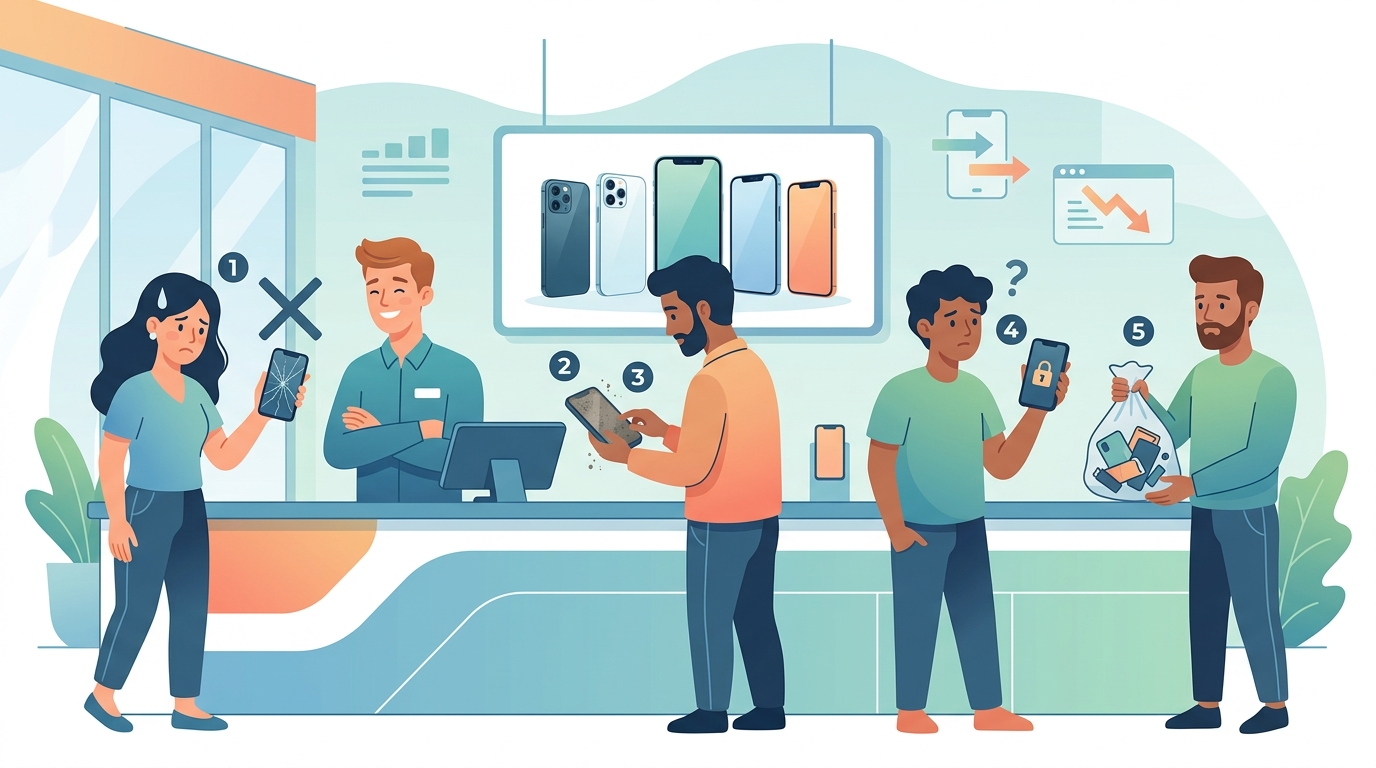
Major wireless carriers and device manufacturers offer promotional trade-in credits that can cover the full retail price of a new smartphone over time (Source 1, Source 2). However, simple errors such as leaving security locks active or missing mail-in deadlines can reduce your trade-in value to zero or cancel monthly bill credits (Source 1, Source 2).
1. Leaving Find My iPhone or Activation Lock Turned On
The single most common reason trade-in valuations get revised to zero dollars is an active security lock (Source 1, Source 2). Both Apple and major carriers require Find My iPhone and Activation Lock to be completely turned off before shipping your device (Source 1, Source 2). When a device arrives at a processing facility with an active lock, technicians cannot perform the automated hardware and software inspections required to process your trade-in credit (Source 1).
If a locked device is received, carriers typically send notification emails giving you a short timeframe to turn off the lock remotely via your cloud account. If you do not disable the lock within that window, the trade-in is rejected, and any pending promotional credits are forfeited (Source 2). To disable this feature safely, navigate to your device settings, tap your account profile, select the location tracking service, and turn off the feature by entering your account password before performing a system reset (Source 1).
2. Overlooking Hairline Screen Cracks and Housing Damage
Trade-in assessment tools rely on accurate user self-evaluations during the initial online quote process (Source 1, Source 2). A frequent mistake is classifying a phone with hairline screen cracks, chipped glass, or body bending as being in good condition. While some carrier promotions accept damaged phones for specific trade-in tiers, misrepresenting the physical state of your device leads to unexpected credit downgrades upon physical inspection (Source 2).
Apple and carrier processing centers inspect the display, back glass, camera lenses, side housing, and screen responsiveness (Source 1, Source 2). Deep scratches that catch a fingernail or display burn-in often move a phone from a high-tier promotional category to a base recycling value (Source 1). Before submitting your quote, clean the device screen thoroughly under bright light to check for minor fractures, and select the appropriate condition category to receive an accurate estimate (Source 1, Source 2).
3. Missing Strict Shipping Windows and Return Deadlines
When purchasing a new phone with a trade-in promotion, wireless providers issue a prepaid return box or shipping label (Source 1, Source 2). A major oversight for many consumers is missing the strict return deadline, which typically ranges from 15 to 30 days from the date the new device is shipped or picked up in store (Source 2).
If your old device is not postmarked within the required window, carrier systems automatically cancel the promotional discount (Source 2). In some cases, late shipments result in the device being assessed at standard market value rather than the higher promotional rate (Source 2). Always drop off your trade-in package at an authorized shipping carrier counter, ask for a physical drop-off receipt, and save the tracking number to verify delivery before your deadline expires.
4. Misunderstanding How Carrier Bill Credits Are Applied
Many trade-in deals advertised as a free phone do not deliver a single lump-sum payout or cash deposit (Source 2). Instead, wireless carriers spread the promotional value over a long-term billing agreement, such as 36 monthly bill credits (Source 2). A key mistake is expecting immediate account credit or assuming you can change plans without affecting the deal.
If you pay off your new phone early, upgrade to another device before the term ends, or change your rate plan to an unqualified tier, the remaining monthly bill credits are usually canceled (Source 2). You then become responsible for paying off the remaining account balance on the new hardware (Source 2). In contrast, trading in directly through a manufacturer may yield an instant trade-in credit off the retail price or an electronic gift card, though carrier-specific promotions often yield higher total value over time (Source 1, Source 2).
5. Failing to Wipe Personal Data Correctly
Simply deleting photos or apps manually does not properly prepare a device for trade-in inspection (Source 1). If personal accounts remain signed in, automated processing software cannot clear the device safely, which can lead to delayed processing or lower initial trade-in approvals (Source 1, Source 2).
To reset your phone correctly, back up your personal files to a cloud service or computer first (Source 1). Next, sign out of all digital stores, cloud backups, and messaging services connected to the device (Source 1). Finally, execute a full system factory reset through the official settings menu (Source 1). This process securely wipes all internal storage and returns the software to factory defaults, ensuring quick processing at the inspection center (Source 1).
6. Shipping Battery-Swollen or Hazardous Devices
Devices with damaged, expanded, or swollen lithium-ion batteries represent a safety hazard and cannot be shipped using standard trade-in prepaid mailing boxes (Source 1, Source 2). A common error is attempting to mail a device whose battery is bulging or causing the screen to push away from the frame.
Shipping regulations prohibit the air or ground transportation of compromised batteries via standard postal channels due to fire risks (Source 1). If an inspection center receives a device with a damaged or dangerous battery, the phone is sent directly to safe hazardous waste recycling, and zero trade-in credit is awarded (Source 1). If your device shows signs of battery swelling, take it directly to an authorized service center or store location to discuss safe disposal and manual evaluation options (Source 1, Source 2).
Trade-In Program Requirements Comparison
Understanding the core differences between manufacturer trade-ins and carrier promotional trade-ins helps prevent unexpected billing adjustments.
| Feature / Requirement | Apple Trade In Program | Verizon Device Trade-In Program |
|---|---|---|
| Primary Credit Type | Instant discount or Apple Gift Card | Monthly bill credits over 36 months |
| Activation Lock Rule | Must be turned off prior to inspection | Must be turned off prior to credit approval |
| Return Window | 14 days from trade-in kit delivery | 30 days from new device receipt |
| Early Line Cancellation | Does not alter gift card value | Forfeits remaining monthly bill credits |
| Damaged Device Acceptance | Base value or zero for heavy damage | Promotional credits available for select damaged phones |
Pre-Trade-In Inspection Checklist
Before dropping your old smartphone into a return mailer, complete these steps to protect your credit valuation:
- Back up all phone data, media, and security keys to a secure cloud or local storage (Source 1).
- Sign out of location services, security tracking features, and digital storefront accounts (Source 1, Source 2).
- Perform a full factory reset through the settings menu to erase internal storage completely (Source 1).
- Remove physical SIM cards, memory cards, protective cases, and screen covers.
- Inspect the device frame for battery swelling or seam separation that prevents postal shipping (Source 1).
- Package the device securely inside the provided prepaid kit and obtain a physical receipt with tracking upon drop-off (Source 2).
What happens if I miss the 30-day trade-in window for my carrier?
If you fail to mail your trade-in device within the carrier's specified window (typically 30 days), the promotional bill credits are usually removed from your account, and your device may only be eligible for base market value credit (Source 2).
Can I trade in a phone with a cracked screen?
Yes, both Apple and carriers accept damaged phones, but the valuation changes based on the program (Source 1, Source 2). Carriers often run special promotions accepting cracked devices for full bill credits, whereas Apple adjusts the value down based on the cost of repair (Source 1, Source 2).
How do I turn off Find My iPhone if the device won't turn on?
If your phone cannot power on, log into your cloud account from a computer or secondary device, navigate to the device management menu, select the offline phone, and choose the option to remove it from your account (Source 1).
Sources
This article is for general information only and is not professional advice. Figures come from public sources and change over time; check the official source before you act.
More from Quick Money Net
- 5 Device Trade In Mistakes Stopping You From Getting Free iPhones
- See The $65 Monthly Fees Hiding In Free iPhone Carrier Deals
- Medicare Part B Late Enrollment Penalty: Calculation Formula and Appeal Eligibility
- See the $1,500 Dental Implant Allowance Most Insurers Hide
- How to Find Dental Schools Offering Free Implants Near You
- 7 Real Programs That Pay for Dental Implants Right Now